> ## Documentation Index
> Fetch the complete documentation index at: https://docs.devin.ai/llms.txt
> Use this file to discover all available pages before exploring further.
# Personal Analytics
> Let users view their own ACU consumption and usage analytics across your enterprise.
## Overview
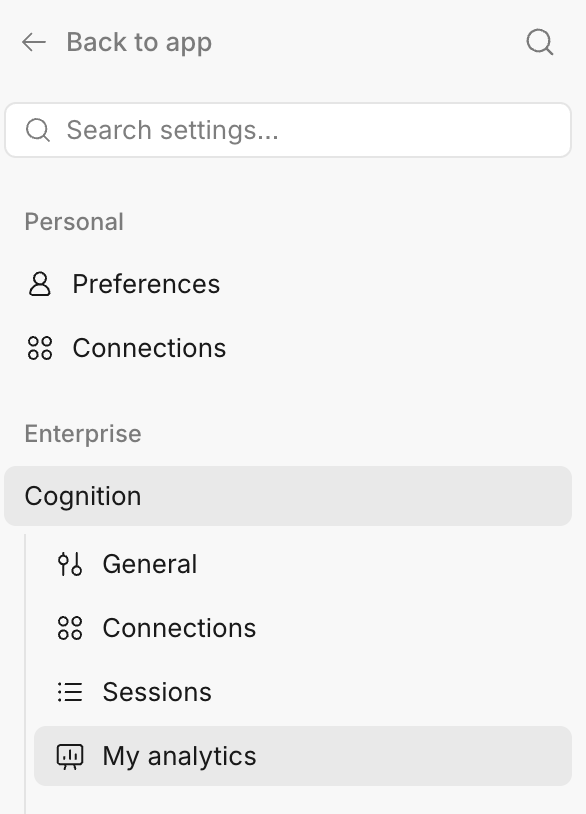
Personal analytics lets individual users view their own usage of Devin — their ACU consumption across every organization in your enterprise — from a **My analytics** page in their settings. This is scoped to each user's own activity: users only ever see their own consumption, not anyone else's.
Personal analytics is off by default. Enabling it for your users takes two steps: turning on the feature for your organization, then granting the permission to the roles that should be able to see it.
## Enabling Personal Analytics
### 1. Enable the feature for your organization
Personal analytics is gated behind a feature flag named `expose-personal-analytics`. Ask your Cognition account team to enable the `expose-personal-analytics` flag for your organization.
Once the flag is enabled, the **My analytics** page becomes available to users who have the required permission (see the next step).
### 2. Grant the "View Personal Analytics" permission
Add the **View Personal Analytics** permission to the role you want to be able to view their own personal usage. This is an account-level (enterprise) permission that grants read-only access to a user's own consumption.
You can add this permission to an existing role or create a new custom role for it. For step-by-step instructions on creating and assigning roles, see [Creating and Assigning Custom Roles](/enterprise/security-access/custom-roles#creating-and-assigning-custom-roles).
Both steps are required. Without the `expose-personal-analytics` flag enabled, the **My analytics** page is hidden even for users who have the **View Personal Analytics** permission. Without the permission, the page is not accessible even when the flag is enabled.
### 3. View personal analytics
Once both steps are complete, users with the permission can view their own usage. Navigate to **Settings → Enterprise → My analytics** to see your ACU consumption across the enterprise.