跳转到主要内容

Playbooks 是什么?

Playbook 是适用于重复任务、易于共享和复用的提示词模板

Playbook 类似于为某个重复任务定制的系统提示词。例如,如果你需要开启很多不同的 Devin 会话,每个会话都要集成同一个第三方库,但用在你应用程序的不同部分,那么就很适合使用 Playbook。 Playbook 也非常容易共享和复用,因此一旦有人在 Devin 中成功完成了一项任务或流程,其他人就可以更轻松地复现这一成功!
大多数最佳实践、代码风格规范或其他项目特定说明,应该通过使用 Knowledge 的方式共享给 Devin。我们建议在创建 Playbook 之前先阅读 Knowledge 的文档,以了解哪种方式更适合你的需求。
Devin
我们建议在以下情况下使用 Playbook:
  • 你或你的队友会在多个会话中复用同一个提示词。
  • 你发现自己总是在对 Devin 重复相同的提醒。
  • 该用例对他人也可能有参考价值——无论是在你的组织内部,还是在 Devin 用户社区中。

开始使用 Playbooks

Playbooks 可以立刻释放 Devin 在各类工作场景中的能力,但目前仍然需要一定技巧来编写。与提示工程类似,编写 playbook 需要不断试验和迭代。不过,这样的投入最终会产出一份文档,使 Devin 能够独立处理复杂工作:从将数据导入 Redshift、执行数据库迁移,到使用各种软件和 API,例如 Together、Plaid、Stripe、Modal、Springboot、Odoo 和 Storybook。
可以先从一个简单的多步骤任务入手,为 Devin 编写你的第一个 playbook。
  1. 创建一份文档,概述:
    1. 你希望 Devin 达成的结果
    2. 实现该结果所需的步骤
  2. 可选:添加 Procedure(过程)Specifications(规格说明)Advice(建议)Forbidden Actions(禁止操作)Required from User(用户需提供) 等章节
    1. Procedure:概述任务的完整范围。至少包含一个用于准备/初始化的步骤、一个执行实际任务的步骤,以及一个交付结果的步骤。
    2. Specifications:描述后置条件——Devin 完成后,哪些条件应该得到满足?
    3. Advice:包含用于修正 Devin 先验假设的提示
    4. Forbidden Actions:列出任何 Devin 绝对不应执行的操作
    5. Required from User:描述用户需要提供的任何输入或信息
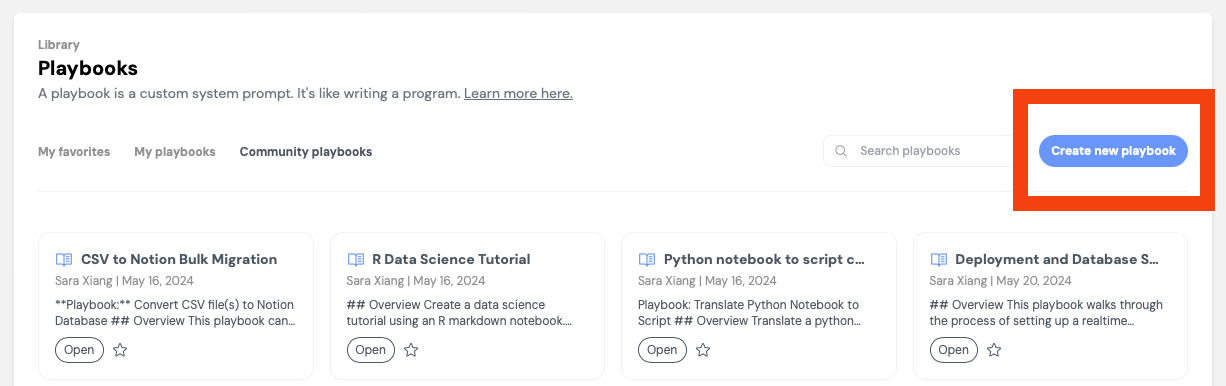
  3. 在 Web 应用中点击 “Create a new Playbook”,直接创建 playbook。或者,将文件扩展名为 .devin.md 的文件保存下来,并在启动 Devin 会话时拖放到 Web 应用中。
Devin
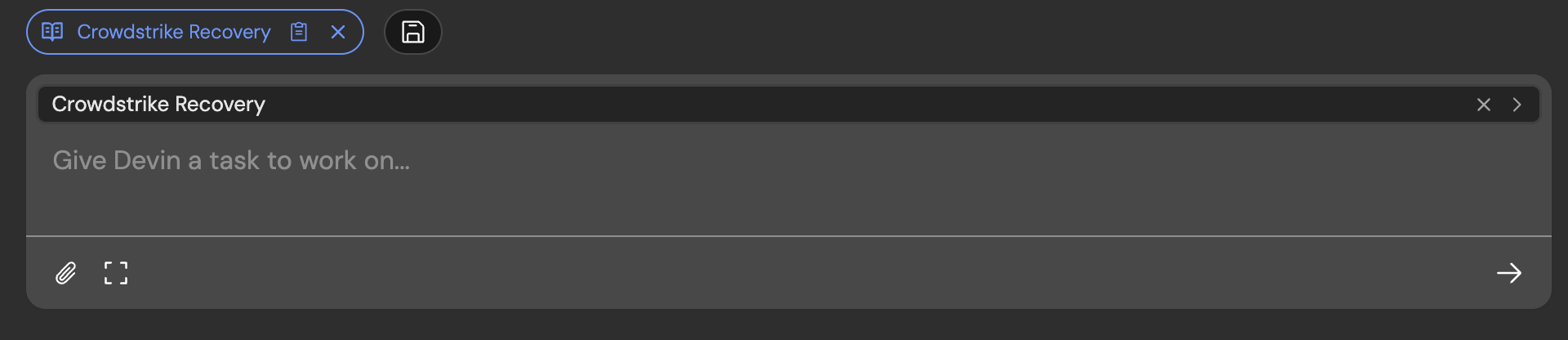
如果你看到一个蓝色胶囊状标记(pill)出现,同时还有一个用于在会话开始前编辑 playbook 的内联组件,则说明你已经成功将 playbook 附加到了该会话。
Devin

编写高质量的 Playbook

步骤

“步骤”部分应当……
  • 每行一个步骤,每行都用祈使句写法
  • 覆盖任务的全部范围
  • 至少包含一个用于准备、一个用于执行任务以及一个用于交付结果的步骤
  • 力求让步骤相互独立完全穷尽
  • 补充提示
    • 步骤应帮助你定义 Devin 的行动顺序——类似代码中的 if/else/loops/goto
    • 除非确有必要,不要把任务写得过于具体,否则会降低 Devin 的解决问题能力
    • 每个步骤应包含一个动作动词,例如:Write、Navigate to 等

建议和提示

在以下情况下,向 Devin 提供建议和提示:
  • 你有偏好的完成任务方式
  • 建议适用于整个任务或多个步骤。只适用于某个步骤的建议,应写在该步骤旁边(例如作为子项目)
  • 你在纠正 Devin 的先验假设。建议可以像伪代码中的注释一样影响其执行。
如果建议只适用于某一个 Procedure 步骤,请在该步骤下方使用嵌套项目符号写出该建议

规格说明

规格说明部分可以用来描述该 playbook 的后置条件——当 Devin 完成后,应该满足哪些条件?

用户需要提供的内容

请考虑所有必要但不受 Devin 控制的事项。例如,用户是否需要向 Devin 提供令牌或其他非公开信息。

其他技巧与策略

  • 并行运行 2 个或更多 Devin 实例,使用相同的 playbook,以快速识别可能的错误。
  • 如果 Devin 需要帮助,可以直接与它对话协助完成任务。然后把这些内容加入你的 playbook,这样下次 Devin 就能在无需人工干预的情况下完成。
明确说明交付物是什么,以及 Devin 应该如何告知任务已经完成(例如需要附带哪些文件或分享哪些链接,如果有的话)。
探索 Devin 可以做出的不同决策,并引导 Devin 沿着 playbook 中最高效的路径执行。
  • 它们可能是区分一个可用 playbook 和一个无效 playbook 的关键。
  • 例如,下面这个细节就非常值得写进去,因为 alloy 和 tts-1 可能不是 Devin 自己会优先选择的,这能引导 Devin 朝更有可能成功的方向前进!
3. Create request dict with model: "tts-1", voice: "alloy"

Playbook 示例

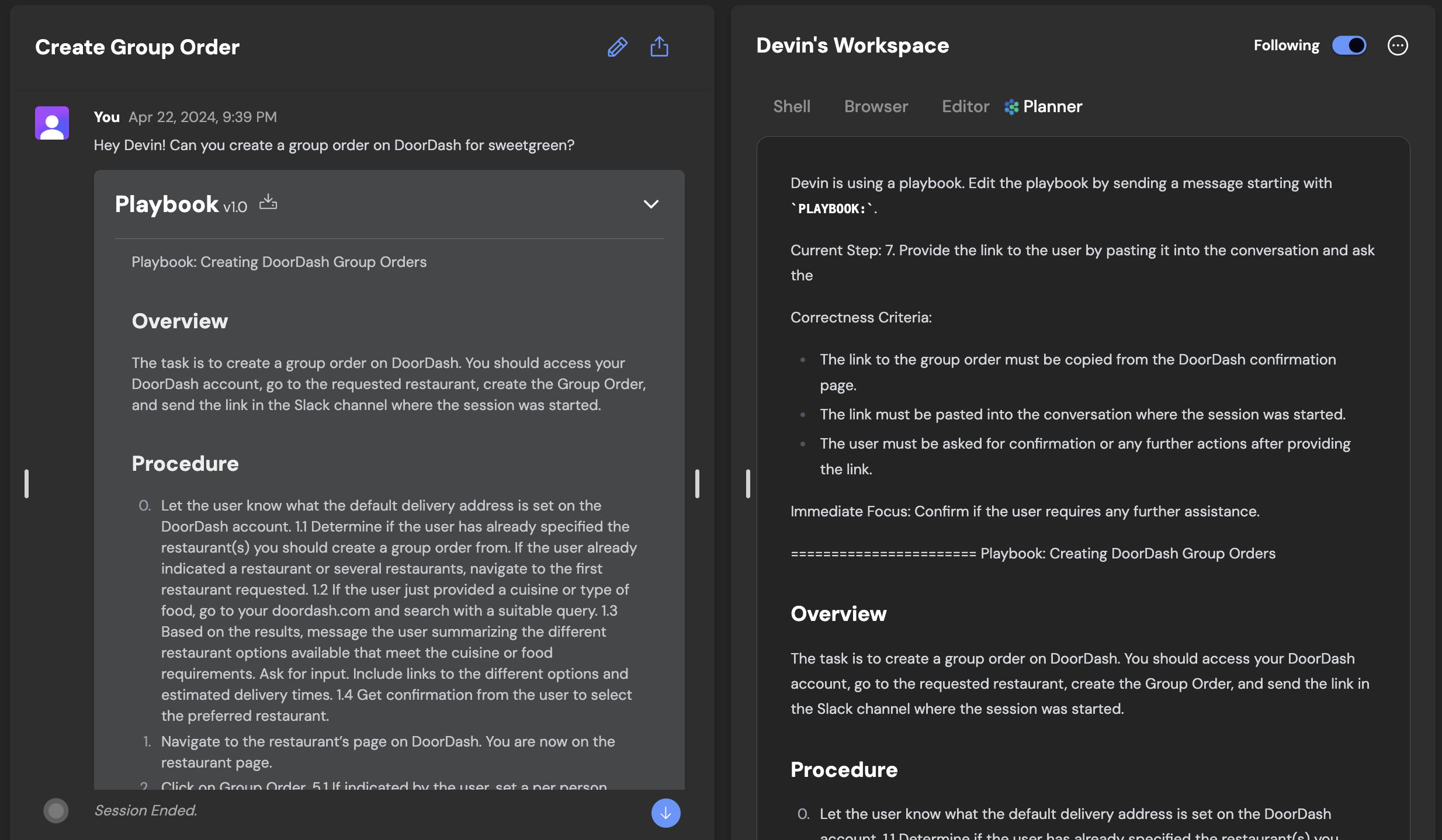
可在以下 Playbook 中查看示例会话:这里这里
R Data Science Tutorial
Playbook: R Data Science Tutorial

## Overview
Create a data science tutorial using an R markdown notebook.

## What’s Needed From User
- Link to a dataset (csv file attachment or kaggle link)
- Specific task to create a data science tutorial for

## Procedure
1. Download the dataset provided by the user.
-  If needed, download the dataset using the Kaggle CLI - you don't need any credentials for this
2. Create an R markdown notebook titled `data_science_tutorial.Rmd`.
3. Create a `tmp.Rmd` file for writing and saving intermediate code.
4. Create 5 main sections inside the `data_science_tutorial.Rmd` file and add code from the `tmp.Rmd` file containing the following:
- Dataset Statistics. Generate a statistical summary of the dataset.
- EDA (Exploratory Data Analysis). Create a bar chart and a scatter plot for the provided data.
- Train-test split. Split the data in an 80:20 ratio. Save the training and testing data.
- Training the machine learning model. Save the model once trained.
- Inference with the saved model. Load the saved model and evaluate its performance on the test set using the metric specified by the user.
5. Once the code is written, add a short explanation for each section.
6. Convert the R markdown notebook to HTML format
7. Send the final R markdown notebook, HTML file, saved model and testing data to the user.

## Specifications
1. Send the R markdown notebook and HTML file to the user.
2. Send the saved model and testing data to the user.

## Advice and Pointers
1. Do not re-install packages if already installed.
2. Sign in to RStudio is not required to complete this task.
3. Run the entire notebook after you add code for each section.

## Forbidden Actions
1. Do not overwrite the `data_science_tutorial.Rmd` file.