

Overview
Devin now automatically indexes your repos and produces wikis with architecture diagrams, links to sources, and summaries of your codebase. Use it to get up to speed on unfamiliar parts of your codebase - check it out in your sidebar. Ask Devin will use information in the Wiki to better understand and find the relevant context in your codebase. Ask Devin’s advanced code search capabilities, combined with DeepWiki, produce detailed and accurate answers grounded in your code. For a short video introduction, see the DeepWiki tutorial.DeepWiki in action
For Public Repos
A free version of DeepWiki and Ask Devin that works with public GitHub repositories is now available. It automatically generates architecture diagrams, documentation, and links to source code to help you understand unfamiliar codebases quickly. You can also ask complex questions about the codebase to get context-grounded specific answers.The full Ask Devin experience, including advanced code search, planning, and session creation, is available in the Devin app. Public DeepWiki and the DeepWiki MCP provide basic documentation and Q&A capabilities.
Effort levels and cost
Wiki generation runs at one of three effort levels, configurable per org (and overridable per repo) from the wiki page:
Enterprise orgs always run at low effort; the setting is not configurable for them.
Steering DeepWiki
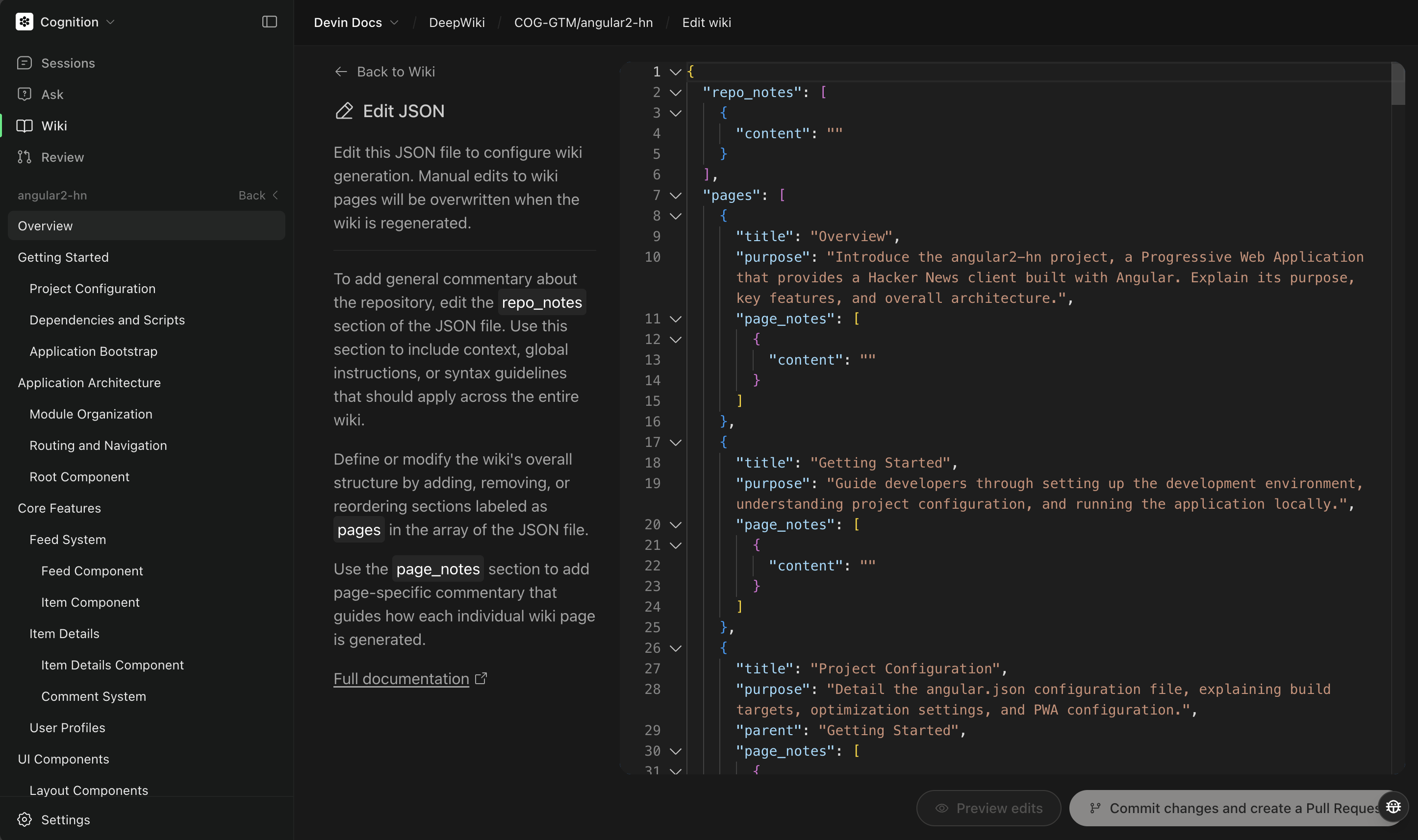
.devin/wiki.json file allows you to steer Devin’s default wiki generation behavior, which is especially important for large repositories that may hit built-in limits.
If a .devin/wiki.json file is found in your repository’s root directory during wiki generation, we’ll use the provided repo_notes and pages to steer wiki generation. Both fields are required, and pages must list at least one page. When a config file is present, we bypass the default cluster-based planning and create exactly the pages you specify — so list every page you want. This ensures that the important parts of your codebase are documented even when the automatic system would otherwise skip them.
Configuration Format
Create a.devin/wiki.json file in your repository root with the following structure:
Configuration Options
repo_notes (Array, required)
Provides context and guidance to help the documentation system understand your repository better. Include therepo_notes key even if you have no notes to add — use an empty array ([]).
- content (string, required): The note content (max 10,000 characters)
- author (string, optional): Who wrote the note
pages (Array, required)
Specifies exactly which pages should be created in your wiki. This field is required and must contain at least one page. Pages are treated as explicit instructions: only the pages you define in the JSON will be generated, no more, no less. A.devin/wiki.json that omits pages (or leaves it empty) is rejected, so list every page you want created.
- title (string, required): The page title (must be unique and non-empty)
- purpose (string, required): What this page should document
- parent (string, optional): Title of the parent page for hierarchical organization
- page_notes (array, optional): Additional notes specific to this page
Validation Limits
- Maximum 30 pages (80 for enterprise)
- Maximum 100 total notes (repo_notes + all page_notes combined)
- Maximum 10,000 characters per note
- Page titles must be unique and non-empty
Practical Examples
Example 1: Use Repo Notes to Emphasize Priorities
Userepo_notes to tell Devin what to emphasize, and list the pages you want alongside them. Notes guide how each page is written; pages determines which pages are created.
Example 2: Ensuring Specific Folders Are Documented
If your large repository has important folders that aren’t being included in the wiki, add a page for each one and userepo_notes to explain why they matter:
Example 3: Addressing Missing Components
If you notice certain parts of your codebase aren’t being documented, add a page for each and emphasize them inrepo_notes:
Example 4: Hierarchical Documentation Structure
For complex repositories, organize pages hierarchically:Best Practices
1. Use Repo Notes Strategically
- Provide context about which parts of your codebase are most important
- Mention specific folders or components that should be prioritized
- Explain relationships between different parts of your system
2. Organize Pages Logically
- Start with high-level overview pages
- Use parent-child relationships to create clear hierarchies
- Group related functionality together
3. Be Specific in Page Purposes
- Clearly state what each page should document
- Mention specific directories, files, or concepts to focus on
- Provide enough detail for the system to understand your intent
4. Address Known Gaps
- If you know certain parts of your codebase are being missed, explicitly include them
- Use descriptive titles that make it clear what should be covered
Troubleshooting Common Issues
”Only certain folders are being documented”
This is the classic large repository problem. Solution: Use.devin/wiki.json to explicitly specify which parts of your codebase should be documented.
”Important components are missing from the wiki”
Add specific pages for these components and use repo_notes to emphasize their importance.Getting Started
- Create
.devin/wiki.jsonin your repository root - Add repo_notes explaining your codebase structure and priorities
- Specify all pages you want created, with clear titles and purposes (at least one page is required)
- Commit the file and regenerate your wiki