

Roles
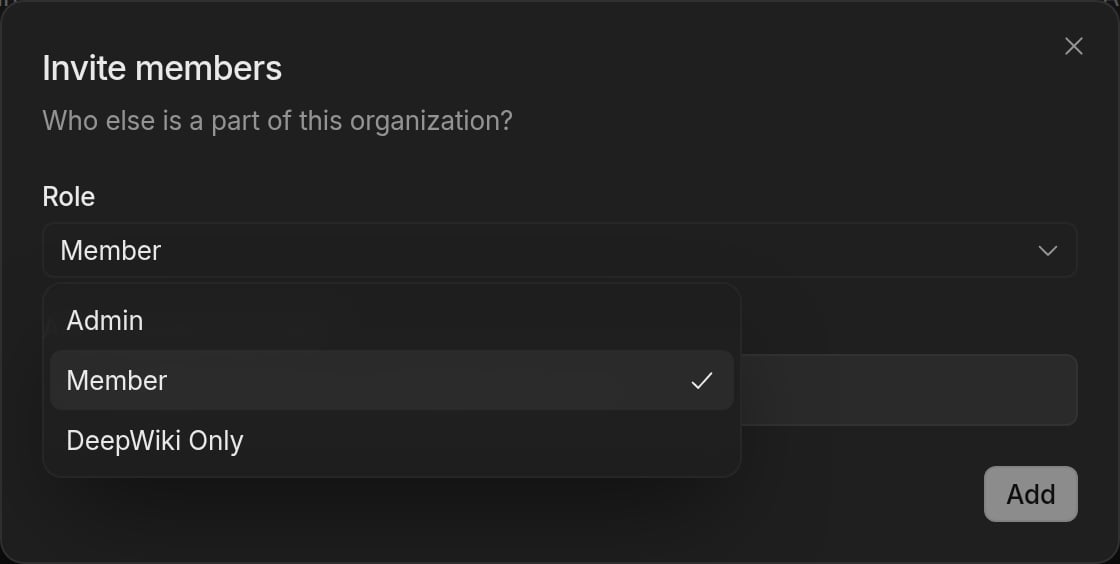
Your organization has three default roles:- Member — Can start Devin sessions and view and contribute to most of your organization’s resources, such as knowledge, playbooks, secrets, and environment snapshots.
- Admin — Has all member permissions, plus the ability to set up and manage billing, organization integrations, membership, and other organization-level settings.
- DeepWiki Only — Access limited to DeepWiki and Ask Devin.
Inviting members
To invite new members to your organization:- Navigate to Settings > Membership in the sidebar, or go to app.devin.ai/settings/members.
- Click Add member to open the Invite members dialog.
- Select a role for the invited users.
- Enter the email addresses of the people you want to invite.
- Click Add.
Managing members
From the Membership settings page, users who can manage membership can:- View all current members and their roles
- Change a member’s role
- Remove members from the organization
Admins can invite new members, change roles, and remove members by default. On Enterprise plans, users with a custom role that grants the Manage Membership organization permission or the Manage Account Membership enterprise permission can manage membership too.